Receipts
Capture and review purchases and expenses.
 ItsRecord
Coming soon...
ItsRecord
Coming soon...
ItsRecord connects your receipts, purchases, inventory, expenses and the records behind the things you buy — in one simple iPhone app.
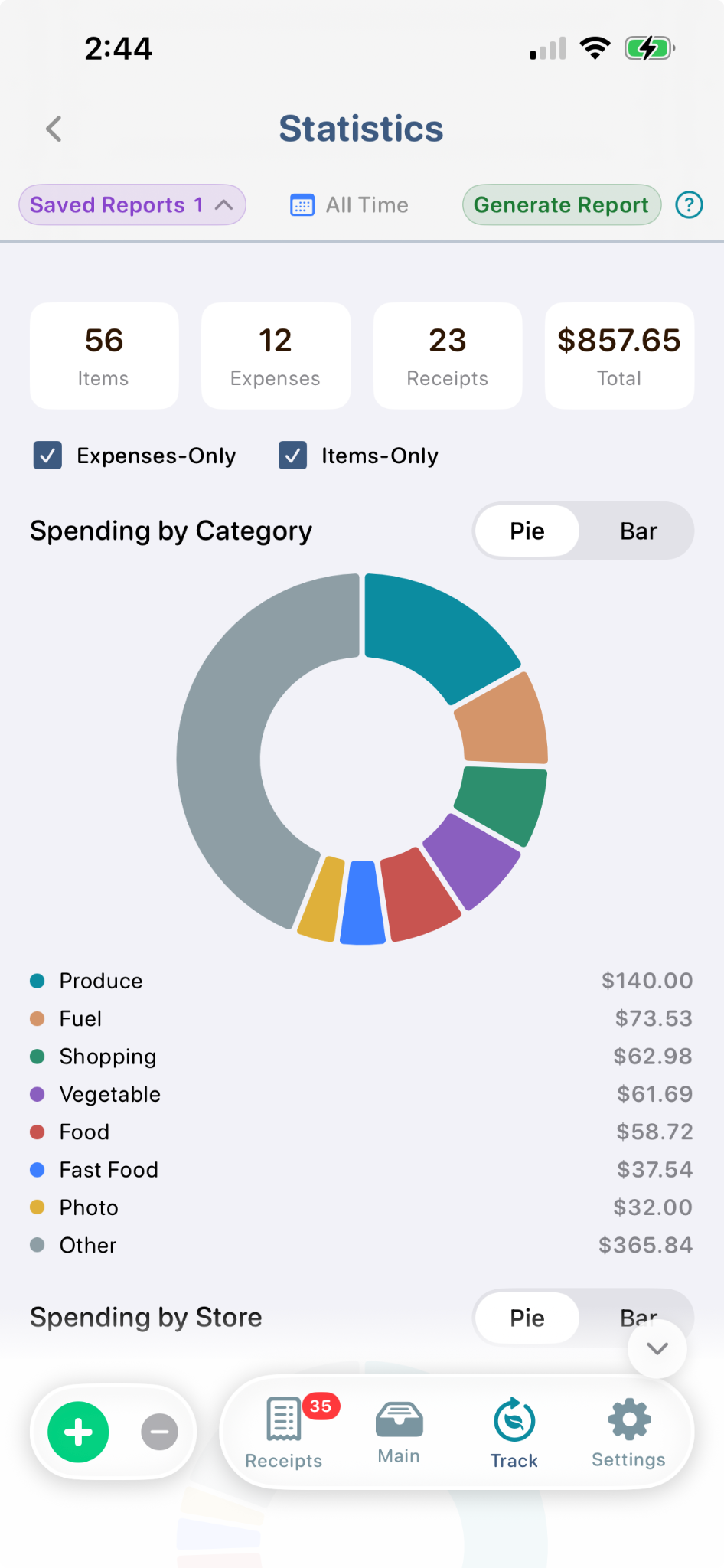
ItsRecord keeps item purchases and Expenses-Only records connected, then lets you view them in the way that matters for the task at hand.
Capture and review purchases and expenses.
Turn item purchases into records and know what you have.
Keep spending that does not belong in Inventory.
Follow both items and Expenses-Only records over time in Time Line.
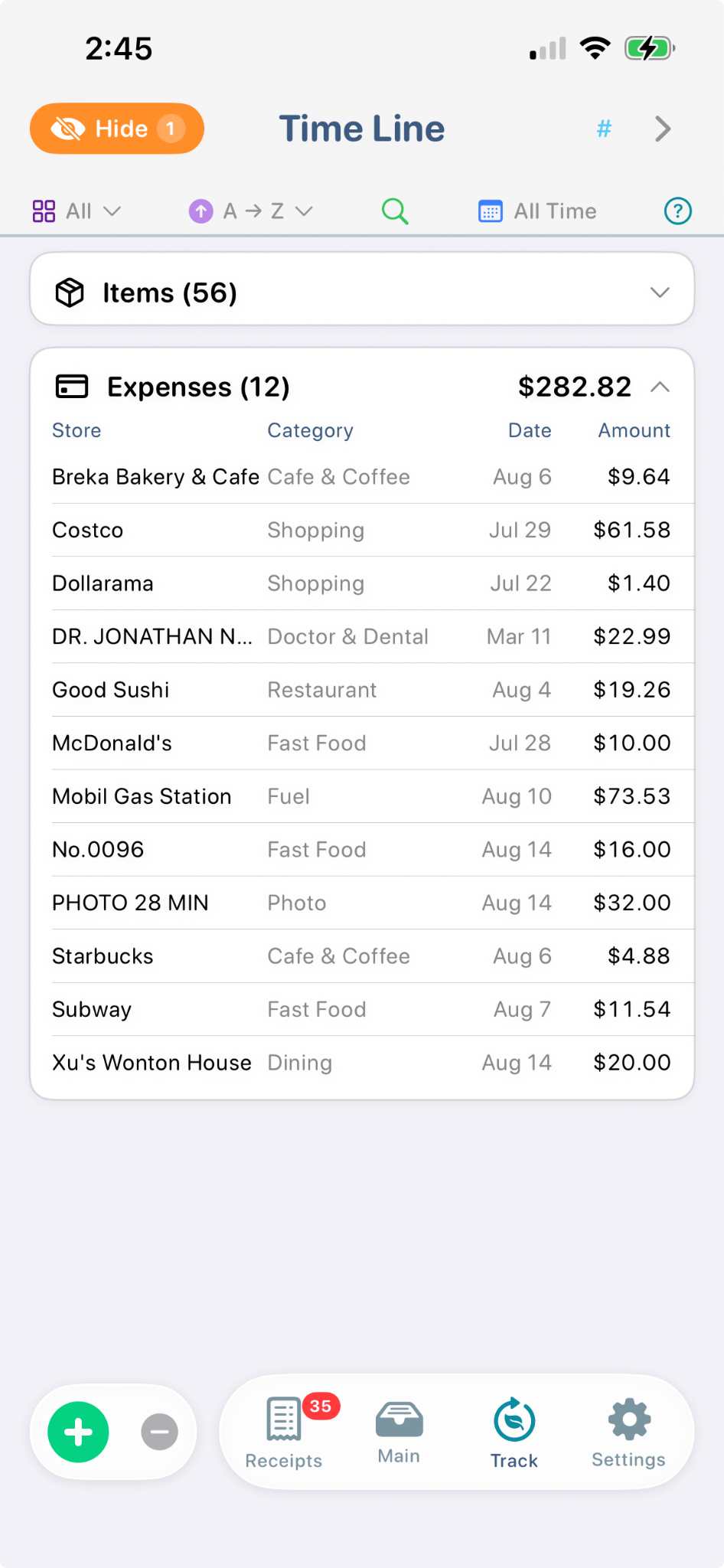
View item purchases and Expenses-Only spending together by category and store.
Capture purchases and expenses, know what you still have, follow what happens to your items, and see your spending in one place.
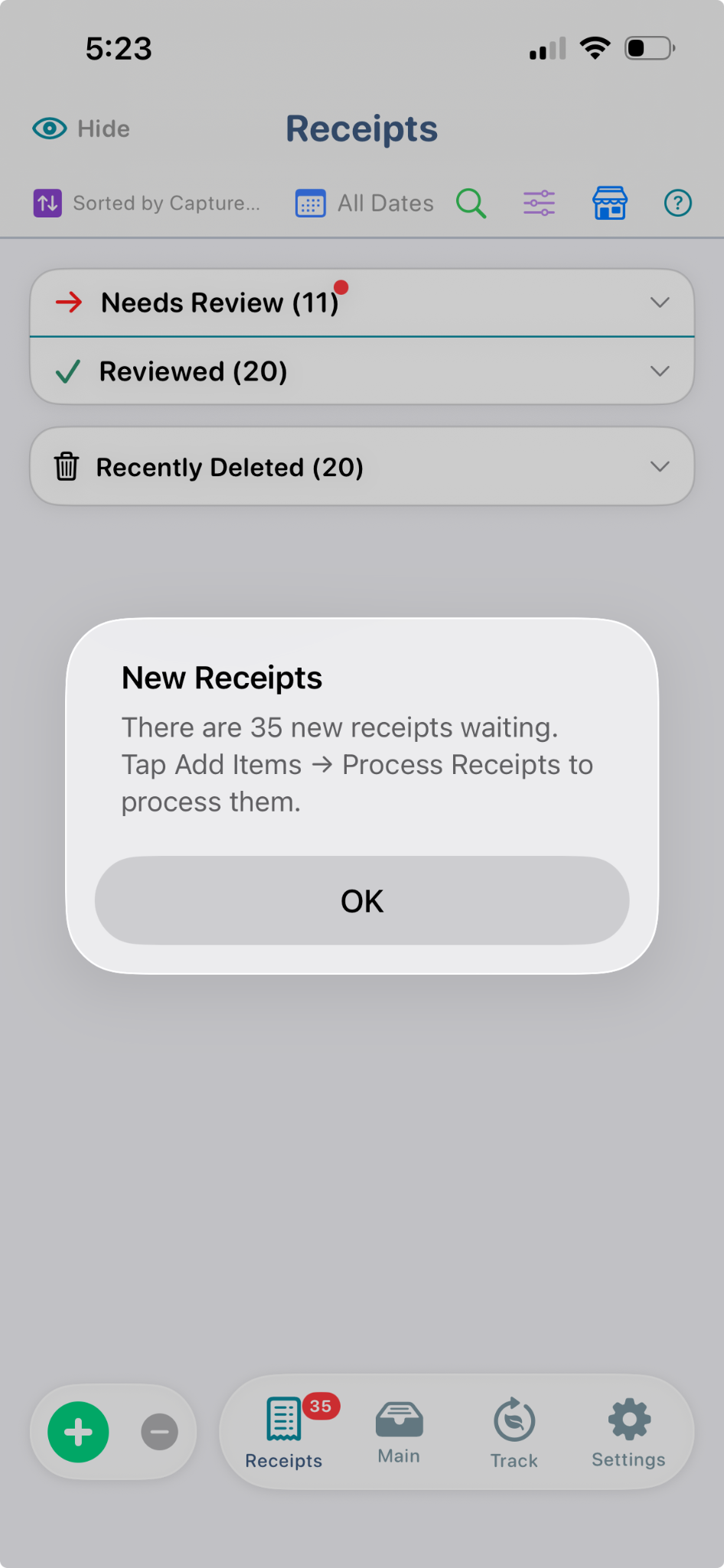
Bring new receipts into ItsRecord, review them, and turn purchases into useful records.
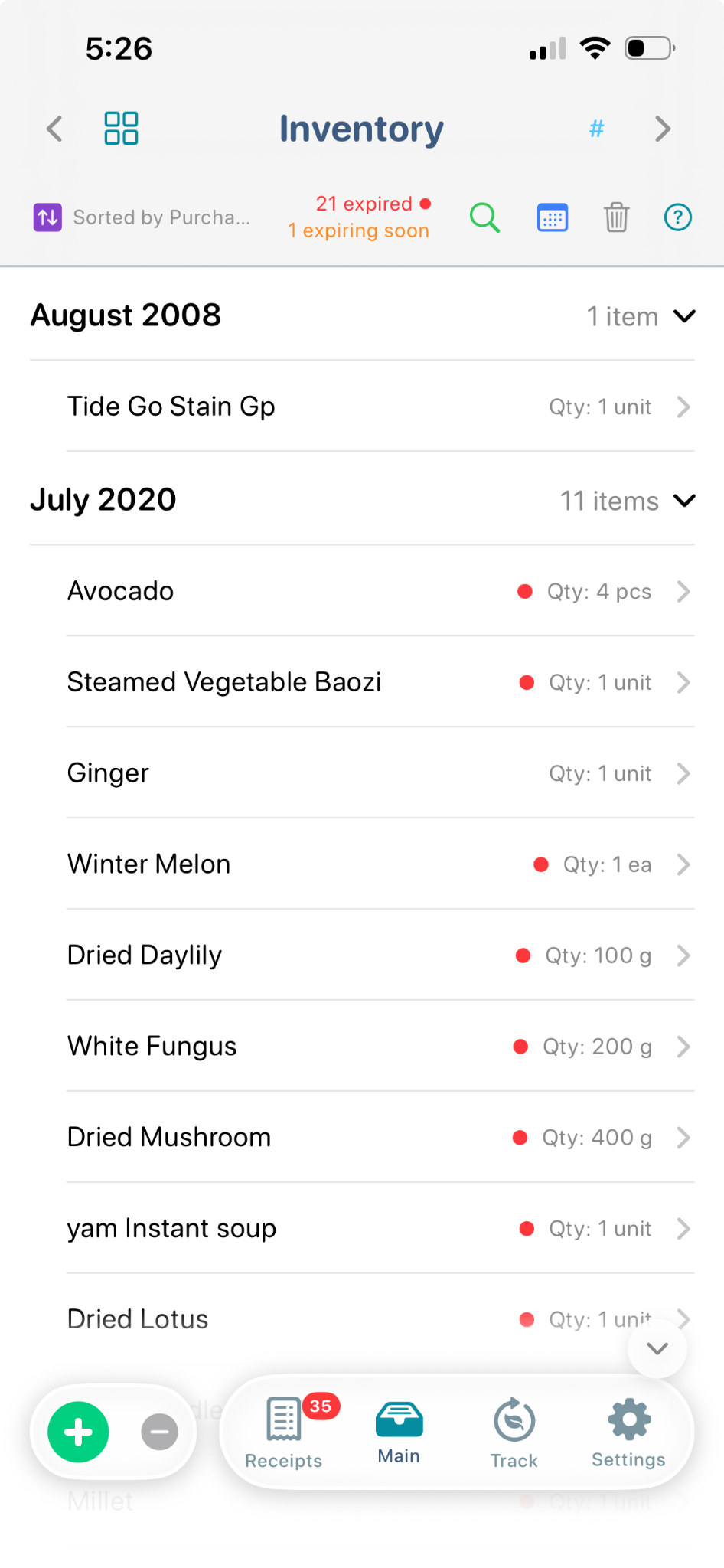
See quantities and purchase periods, with reminders for items that are expiring or already expired.
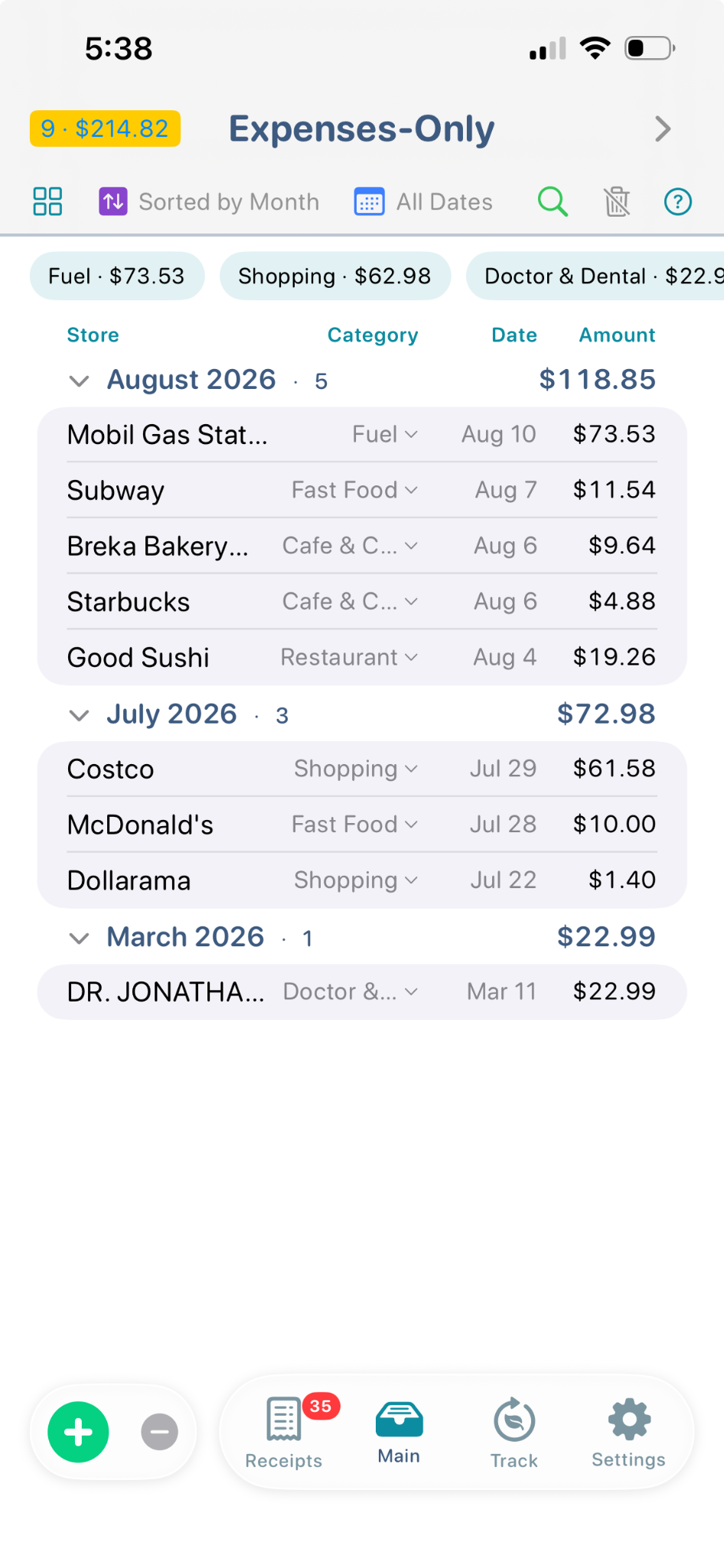
Keep service and expense receipts — fuel, meals, shopping and professional services — organized by month and category.
Bring item purchases and expense-only records together to understand total spending by category and store.
From household inventory to small-business expenses, ItsRecord keeps the evidence and the story together.
Household supplies, food, tools, appliances and everyday purchases.
Record purchases and expense-only receipts for business records.
Know what you bought, what you used and what remains.
Connect purchases with the items that enter and leave a project.
Keep supplies and household items organized for ongoing use.
Track equipment, supplies and consumables without a spreadsheet.
ItsRecord uses a local-first architecture. The app is designed to keep your records on your iPhone and minimize unnecessary data transmission.
Receipt recognition uses Apple's Vision framework locally. Your receipt is not sent to an ItsRecord server for OCR.
Your receipts, inventory and expense records are stored locally on your iPhone by default.
Choose a supported cloud-backed location through Apple's Files interface. Backups can then run automatically on your selected schedule, or you can create one manually at any time.
Use Apple’s system authentication to help protect access to ItsRecord. Your Face ID biometric data remains with iOS and is not received or stored by ItsRecord.
No advertising, analytics, third-party OCR or crash-reporting SDKs are integrated into ItsRecord.
Keep your records beyond your iPhone. Choose a supported cloud storage location through Apple’s Files interface, then back up manually or on a schedule you set.
ItsRecord does not use CloudKit or iCloud Sync. Backups are stored in the location you choose, not on an ItsRecord server.
One place for the things you buy, use, keep and spend.
Coming soon...